








Thinking
Summary
Most enterprises struggle with unmanaged, scattered AI prompts and skills, leading to inconsistent behavior and untraceable issues. Studio provides a centralized system of record for versioning, ownership, and traceability, enabling fast iteration and controlled deployment while maintaining compliance. By treating prompts as production assets with immutable versions, clear ownership, and audit logs, Studio ensures AI behavior is governed, discoverable, and aligned with business policies.

Most enterprises can't say which version of a prompt is running in their AI right now. The instructions that decide how that AI behaves get scattered the moment more than one team touches them, leading to an inconsistent experience for users and an untraceable problem for teams.
As of today, Studio gives your Prompts and Skills a system of record: a single place where each one is versioned, owned, and traceable.
Prompts and skills outgrew the way they're managed
Prompts and Skills are production assets. They hold the business logic, the tone, and the policy your AI follows when it answers a customer or makes a call. What your AI does in front of a customer comes down to the prompts and skills in use. When that behaviour is wrong, the fix has to ship as fast as any production incident, not wait for the next code release.
And in most enterprises, they're managed like scratch notes. Prompts started as quick experiments, then they shipped. Now they sit in code repos, notebooks, and Slack threads, with no clear owner and no shared history. Skills get rebuilt, or forked by one team because they lacked visibility to another team’s version.
In many enterprises, prompts already live in version-controlled code, which means tracking changes was never the hard part. The friction is elsewhere. The people who understand the instructions best, the line-of-business teams who set the policy and the wording, don't work in the codebase, so every change waits on an engineer. And refining an instruction takes iteration and testing, which a codebase makes expensive: one version ships at a time, and every attempt means editing code and waiting for a deploy.
So most teams stop iterating early. They ship a version that's good enough and then may leave it, and the instructions that shape every customer answer can stay well short of what they could be.
Iterate fast, ship with control
While you're building, iterating on an instruction should be quick. In code, even a one-line change to a prompt can mean waiting on a CI run before you see how it behaves. Studio lets any AI builder, developer or not, edit a prompt or skill and test it right away, without a pipeline run for every attempt.
Shipping to production is different, and it should be. A change bound for production goes through the tests and approvals your enterprise already requires. What changes is who can drive it. A domain expert or line-of-business owner can improve a production instruction the same way a developer would, and the promotion using simple labels still triggers your CI/CD, for example through the SDK in a GitHub Actions workflow. The people closest to the work improve the behaviour, inside the controls you already run.
Because every asset is governed and discoverable, good work spreads instead of getting rebuilt. Anything in a workspace is available to that whole team today, so a prompt one person gets right is usable by their colleagues at once.
A system of record for AI behavior.
Studio treats every prompt and skill as a tracked, versioned asset with an owner, a full history, and a lineage.
Immutable versions. Every version is recorded and fixed. A version that shipped can't be quietly changed after the fact, so the record always matches what ran.
Rollback. Compare any two versions, see exactly what changed, and revert to a known-good version in minutes.
Clear ownership. Every asset has a named owner, so there's always an audit trail to track changes.
Classification labels. Helps call or find the right prompts and skills by their labels easily (e.g. “Production” vs “Staging”).
Audit logs. Each change is logged with who made it and when. The trail an auditor will ask for exists by default.
The part a standalone catalog can't do.
A separate prompt tool can list your assets. It can't tell you whether they work, because it sits outside the system that runs them.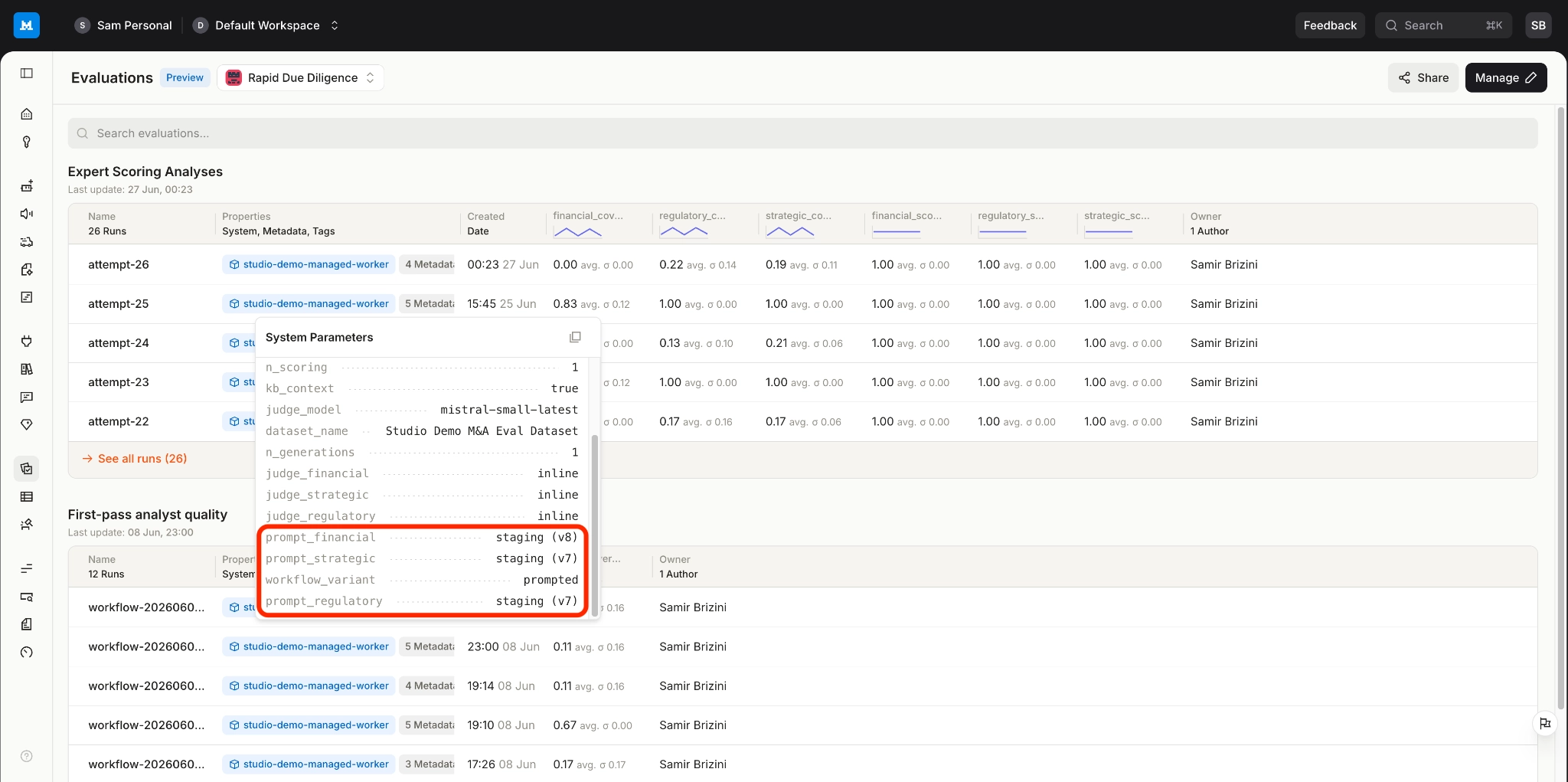
Because your prompts and skills live where your AI runs, Studio can connect them to how it actually behaves. Through Observability, lineage and telemetry trace a production output back to the version of the asset behind it, and back to the usage that prompted the last change. The skills your agents run are reachable as MCP servers straight from Studio, so what executes in production is the same governed asset you versioned, not a copy that drifted. You define behaviour, watch it run, and improve it, all against one source of truth. That closed loop is the difference between cataloging your AI and governing it.
Control for the people who answer to auditors.
Ungoverned prompts are a liability for the people who answer to auditors. They embed data-handling rules and policy decisions someone will eventually have to defend, and today they often live where no compliance team can see them.
Studio changes the default. Every asset moves through a clear path to production, from a staging version to a tagged production version, so shipping a change is deliberate rather than accidental.
An asset starts as visible only to its creator, then when appropriate can be promoted to the workspace and, in time, across the organisation, with control over who can use it at each step. Across every deployment mode, your data stays inside your perimeter.
Available now in Studio.
Prompts and skills are available to Mistral Studio customers today. If you run AI in production, Studio turns scattered prompts and skills into governed assets you can trust.
Read documentation:
Create reusable prompts in Studio